
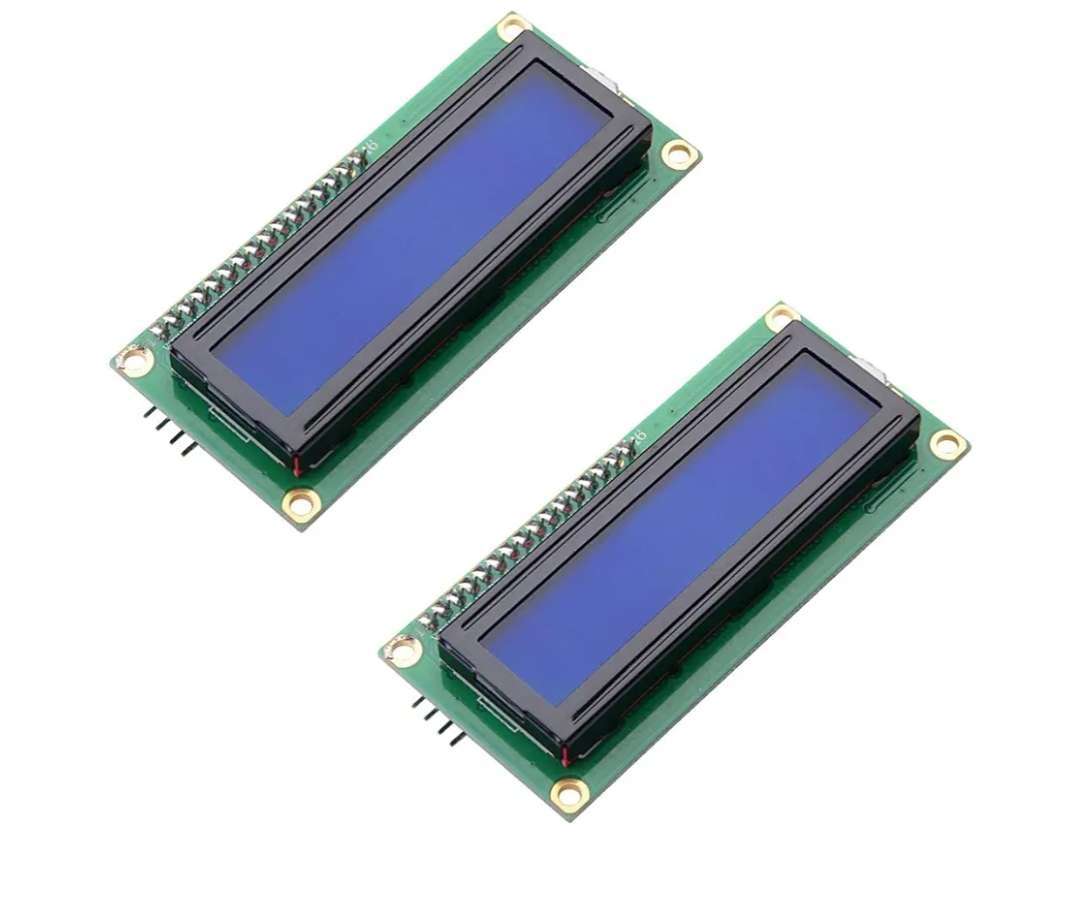
16×2 LCD Display for Arduino Projects
The 16×2 LCD Display for Arduino is a character screen for displaying text, numbers, sensor readings and status messages in electronics projects. With two rows and 16 character positions per row, it provides a practical way to present information directly from a compatible microcontroller.
This LCD display is suitable for students, electronics hobbyists, robotics enthusiasts and developers working on Arduino-based prototypes. Unlike the I2C version, this model does not include an I2C interface module, so the display uses its standard parallel interface.
Key Features of the 16×2 LCD Display for Arduino
- 16 characters per row: Displays up to 32 character positions across two rows.
- Two-row character screen: Suitable for measurements, short messages and operating status.
- Standard parallel interface: Connects through the display’s control and data pins rather than an included I2C adapter.
- Arduino project use: Suitable for compatible Arduino boards and circuits.
- Multiple applications: Useful for data loggers, counters, sensor monitoring and educational electronics projects.
Applications of the 16×2 LCD Display
Arduino electronics projects: Display sensor values, temperature readings, counters, menu selections and device status messages.
Sensor monitoring: Present readings from compatible sensors alongside labels or units, depending on your program.
Data logging: Show current measurements or system information while a project collects data.
Home automation: Display operating modes, basic system status and other short messages.
Robotics and student projects: Add a simple text-based interface to compatible microcontroller prototypes and practical learning projects.
Connecting the LCD Display to Arduino
This version uses a standard parallel interface and does not have a pre-soldered I2C module. Depending on the wiring configuration, it may require several connections between the LCD and the controller board, including power, ground, control signals and data lines.
Before connecting the display, check its pinout, operating voltage and the requirements of your Arduino board. The wiring and code depend on the particular configuration being used.
For programming references and example projects, visit the official Arduino website.
16×2 LCD Display Specifications
| Specification | Details |
|---|---|
| Product type | Character LCD display |
| Display format | 16 characters × 2 rows |
| Character positions | 32 |
| Interface | Standard parallel interface |
| Intended application | Arduino and compatible microcontroller projects |
| I2C interface module | Not included |
| Common uses | Sensor readings, counters, data logging and status messages |
Why Choose a 16×2 LCD Display for Arduino?
A character LCD is useful when an electronics project needs to show readable information without requiring a graphical display. Its two-row layout can present a measurement on one line and a label or status message on the other.
For example, a project could display a sensor reading on the first row and a short system message on the second. The information shown depends on the sensors, controller, wiring and program used.
When choosing between a standard LCD and an I2C version, consider the available pins on your controller and how you want to connect the display. A standard parallel LCD does not include the I2C adapter found on the separate I2C model.
Explore more components in our Robotics & Tools category and Electronics & Accessories category at Viroh Store Kenya. You can also browse our full product shop for electronics and project components.



 No products in the cart.
Reviews
There are no reviews yet.